Log InRegister
Q:
How can I request a quote?
A:
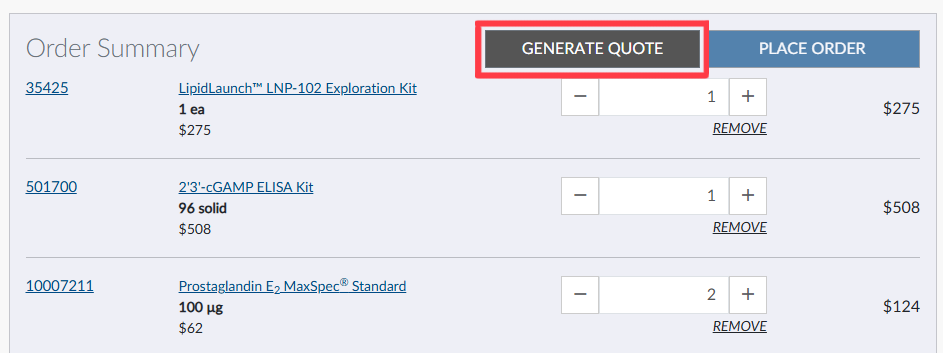
To get an instant quote for items listed on our website, simply add items to your shopping cart and click the "GENERATE QUOTE" button. You will need to be logged in to your Cayman account to use this feature. Once you submit the request, a PDF quote will be sent to the email address associated with your web account.
If you are interested in a bulk or custom quote for a specific product, you can request it directly from the product page by clicking the "BULK & CUSTOM" button.
This will open a form where you can provide more details. Depending on the product type, you can specify bulk quantity, size, and units, or if you need a custom solution or solution removal (neat). Once you submit the form, our sales team will reach out to address your specific needs.
If you have any further questions or needs that weren't addressed in this FAQ, please contact our sales team.
Contact Info
Cayman Chemical1180 East Ellsworth RoadAnn Arbor, Michigan 48108 USAToll Free: (800) 364-9897(USA and Canada only)Fax: (734) 971-3640